Your email exchanges that have happened within a thread can also be viewed in the master inbox. To view them, do the following:
Select “Master Inbox” from the primary menu on the left side of your screen.
Upon clicking “Master Inbox,” you'll be directed to the default Inbox tab. Here, all responses from your email campaigns are organized and readily accessible.
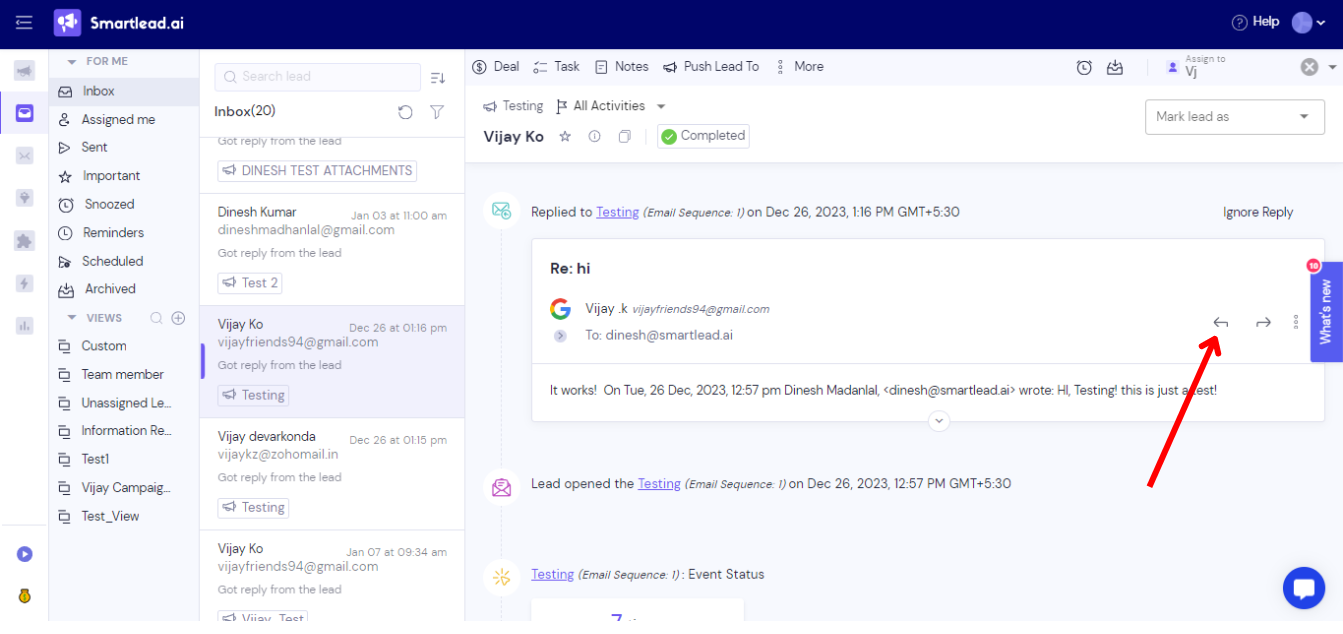
Click on the lead whose email conversation you want to see in a thread.
Next, go to the left arrow symbol, as shown in the below image.
A dialog box to create an email will appear on the screen following your action.
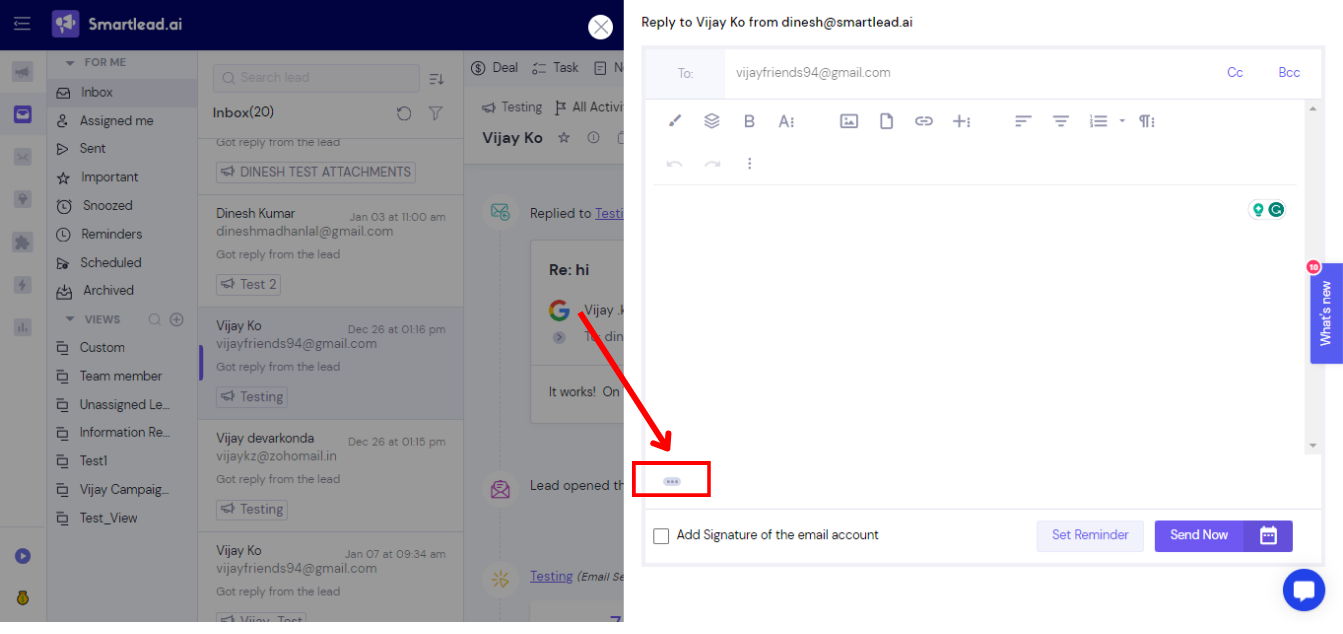
Click on the three dots at the bottom left of the dialog box to see the entire conversation in a thread.