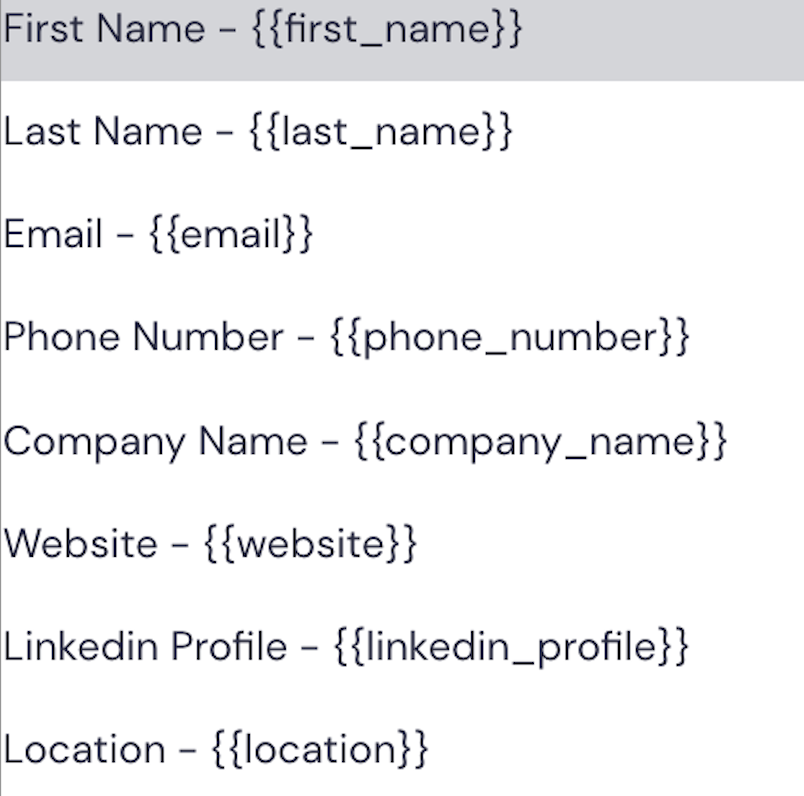
Smartlead. Variables act as placeholders in your emails, representing specific data fields from your CSV file, such as names, company names, or phone numbers.
If your CSV file contains unique data fields beyond the standard set, you can map these as custom fields in your campaign. This feature allows you to create custom variables that correspond to these unique data points, ensuring even the most specific information can be included in your emails.
NOTE: Your variables should always be written with two curly brackets, such as {{first_name}} or {{company_name}}. If you do not include these correctly, your data point will not pull the information you need into your emails.