SOP: Setting Up Your RB2B Evergreen Campaign
This guide walks you through setting up RB2B so we can automatically capture website visitors and route them into your evergreen cold email campaign.
1. Create Your RB2B Account
1. Go to RB2B and create an account.
2. Select the $149 Pro plan
This plan includes integrations, which are required for our setup.
3. Choose your monthly resolutions:
We recommend starting with 600 monthly resolutions
You can always scale this up later based on traffic
2. Install the RB2B Tracking Script
Once your account is created, you’ll install the RB2B tracking script on your website.
Quick Overview
RB2B provides a JavaScript tracking script
This script must be placed in your website’s header
The exact steps depend on where your site is hosted
Example (Webflow)
Copy the RB2B script from your dashboard
Go to Webflow → Site Settings → Custom Code
Paste the script into the Header Code section
Publish your site
Visit your live site to confirm it loads properly
Detailed guide:
RB2B provides a full walkthrough here:
Script Installation Guide (linked in onboarding)
3. Set Up the Webhook Integration
Once the script is live, you’ll connect RB2B to our system using a webhook.
Steps
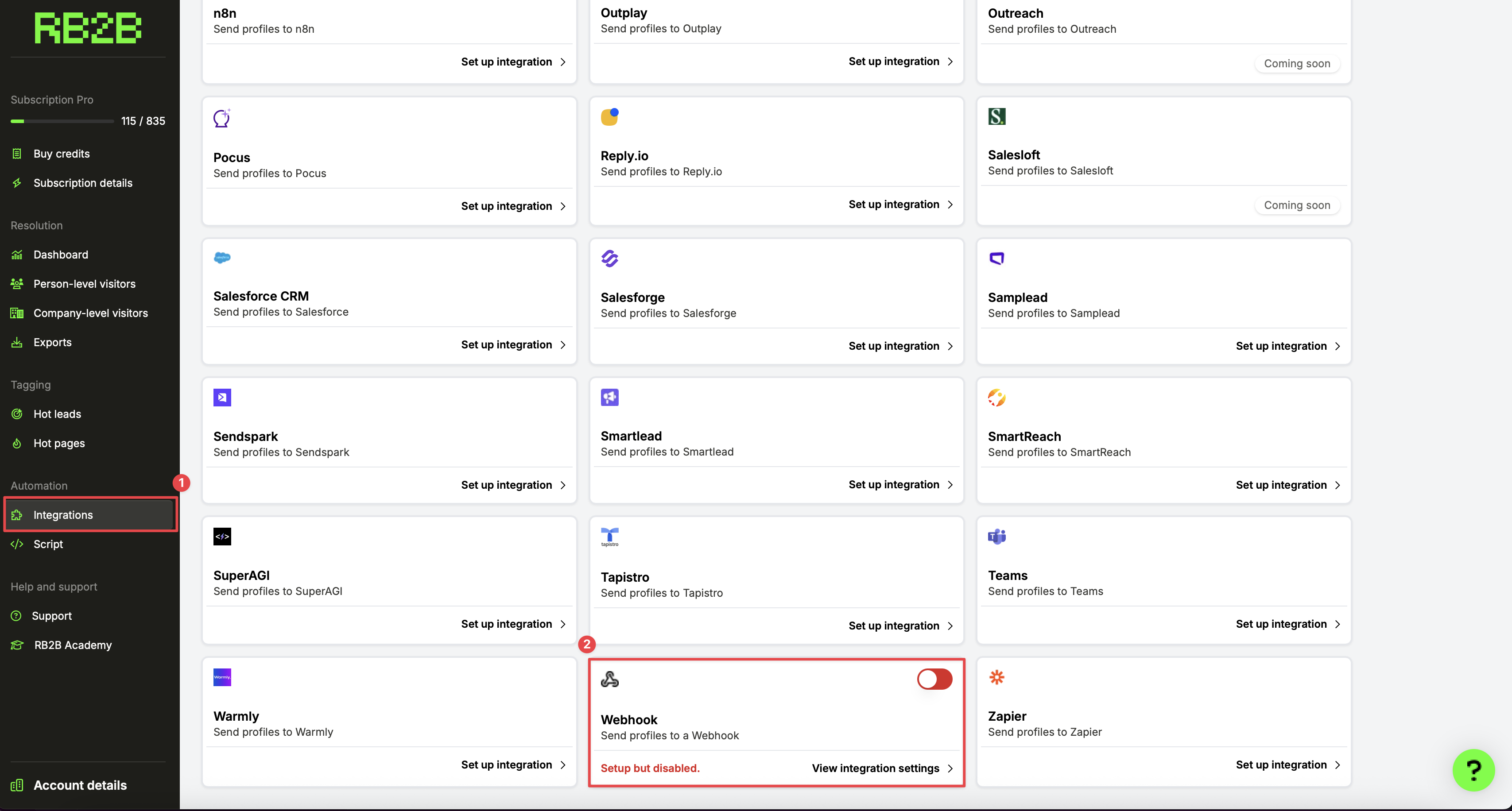
In RB2B, go to Integrations (left-hand menu)
Scroll to the bottom and select Webhook
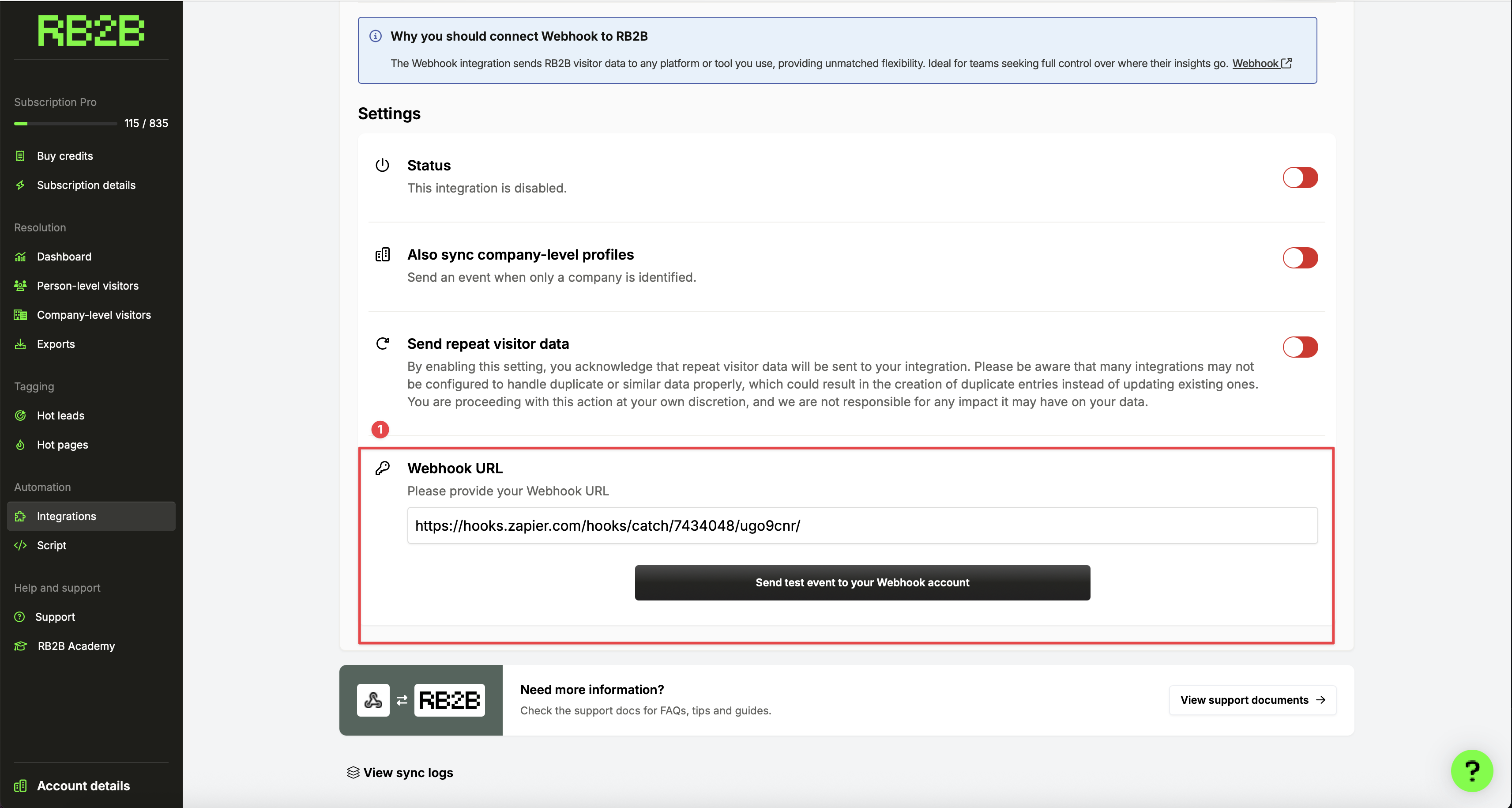
2. In the Webhook URL field, paste the following:
https://hooks.zapier.com/hooks/catch/7434048/ugo9cnr/
3. Toggle the webhook ON
4. Click Save
That’s it — no additional configuration required.
4. What Happens After Setup (How It Works)
Once everything is connected:
1. A visitor lands on your website
2. RB2B identifies the visitor
3. Visitor data is sent automatically to the webhook
4. On our end, we:
Capture the visitor
Run waterfall enrichment
Validate and clean the data
Push qualified contacts into your evergreen cold email campaign
This process runs continuously in the background with no manual work required.
5. Final Checklist
Before considering setup complete, confirm:
RB2B Pro plan is active
Tracking script is live on your website
Webhook URL is saved and enabled
Site has been published and tested
Once all boxes are checked, your RB2B evergreen campaign is fully live.